How to send multiple WhatsApp attachments with individual captions
March 28, 2026 · 12 min read

Add multiple attachments
Click the attachments icon and pick a file. Click again to add another. Attach as many files as you need.
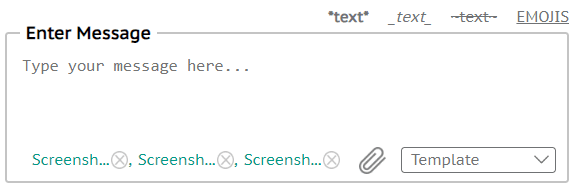
Add a caption for each attachment
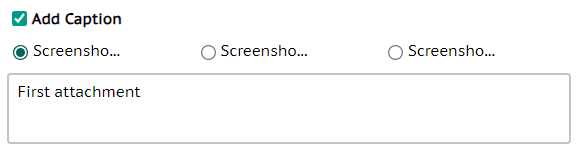
Check “Add Caption” to get a radio button per attachment. Select each one and type its caption (you can edit anytime).
When everything looks right, click Send. Each file goes out with its own caption to the numbers in the Number Box.